Be a Sherlock Online
Check the clues before you trust
Every unknown phone number, email, website or company is a new case. A real detective doesn’t rush – they check the story, the sender, the money, and use Hunt Scammers to verify scam reports.
Check a Phone Number
- Unknown or foreign country code?
- Search the number in Google and Hunt Scammers scam check.
- Never share OTP, PIN or codes on calls or SMS.
Check an Email
- Check full sender address.
- Hover links to reveal real URLs.
- Real companies never request passwords by email.
Check a Website / Company
- Verify URL spelling and HTTPS lock.
- Search reviews, “scam” and complaints.
- Be careful with new “investment” websites.
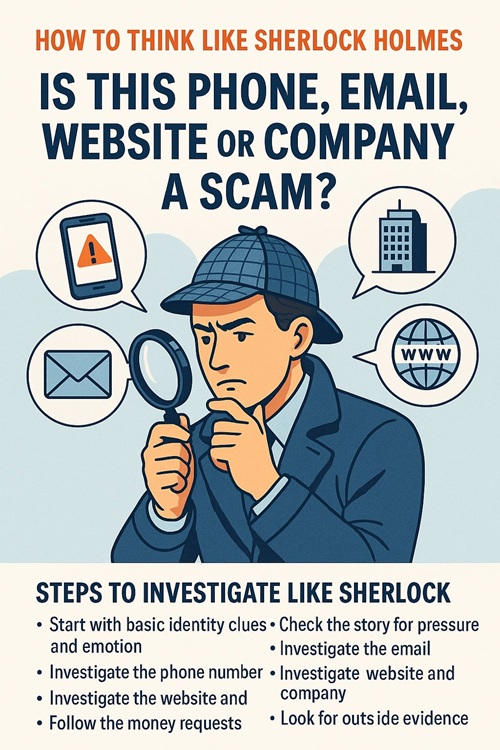
Steps to Investigate Like Sherlock
Don’t rush to answer messages or click links. Pause and investigate. Each phone call, email, or website is a new “case” – your job is to decide if the story is real or a scam.
Follow these detective steps for phones, emails, and websites:
-
Step 1 – Start with basic identity clues
Ask: “Who is contacting me and how do I know they are real?”
- Phone: Is the number saved, unknown, or hidden? Does the country code match their story?
- Email: Does the email address match the claimed company domain (for example, support@bank.com vs bankhelp123@gmail.com)?
- Website/Company: Is the URL spelled correctly? Does the company actually exist when you search for it?
-
Step 2 – Check the story for pressure and emotion
Sherlock listens for patterns and lies.
- Are they trying to create panic (account blocked, police, urgent bill, sick relative)?
- Are they using romance, flattery, or fake love to rush you?
- Do they refuse video calls or avoid simple questions about their life or company?
-
Step 3 – Investigate the phone number
Treat every unknown number like an unknown suspect.
- Search the number on Google and the Hunt Scammers phone scam checker to see if others reported it.
- Be careful with calls from foreign country codes you don’t recognize.
- If they ask you to move to WhatsApp/Telegram quickly, be extra cautious.
- Never share one-time passwords (OTP), PINs, or banking codes on calls or SMS.
-
Step 4 – Investigate the email
Sherlock reads between the lines – and between the “@”.
- Check the real sender address, not just the display name. A scam email might show “Your Bank” but send from yourbank@random-mail.com.
- Hover over links (without clicking) to see where they really lead. Fake links often go to strange domains.
- Look for poor grammar, urgent threats, or requests for personal data or payment.
- Real companies usually don’t ask for passwords, full card numbers, or selfies with your ID over email.
-
Step 5 – Investigate the website and company
Now treat the site like a crime scene.
- Check the URL, spelling, and HTTPS lock icon in the address bar.
- Look for real contact details, physical address, and proper company information.
- Search the company name plus “scam”, “reviews”, or “complaints” in Google.
- Use domain lookup tools to see how old the website is – brand new “investment” or “trading” sites are often scams.
-
Step 6 – Follow the money requests
Sherlock always checks who gets paid and how.
- Be suspicious if they only accept crypto, gift cards, or friends-and-family payments.
- Watch for “processing fees”, “taxes”, or “unlock charges” before you can get your money or prize.
- Real banks and companies do not ask for remote access apps just to “help you”.
-
Step 7 – Look for outside evidence
Never trust what a scammer says about themselves.
- Search the phone, email, website, or company on Hunt Scammers and other scam-report sites.
- Ask friends or coworkers if they’ve seen something similar.
- If it’s a “job offer” or “investment”, look for official warnings from banks or authorities.
-
Step 8 – Match all clues and decide
Sherlock never relies on a single clue – he looks at the whole picture.
- If multiple red flags appear (pressure, secrecy, money requests, strange contacts), treat it as a scam.
- Block the number or email, stop replying, and never send money or documents.
- Take screenshots and report the details to the Hunt Scammers report scammer tool so others can be warned.
Being “Sherlock online” means slowing down, questioning every detail, and never ignoring that uncomfortable feeling in your stomach. Scammers rely on speed and emotion — detectives rely on facts and patience, plus tools like the Hunt Scammers scam check and search scammer database.
Keywords: Hunt Scammers scam check, Hunt Scammers report scammer, Hunt Scammers search scammer, Hunt Scammers phone scam checker, Hunt Scammers website scam checker.